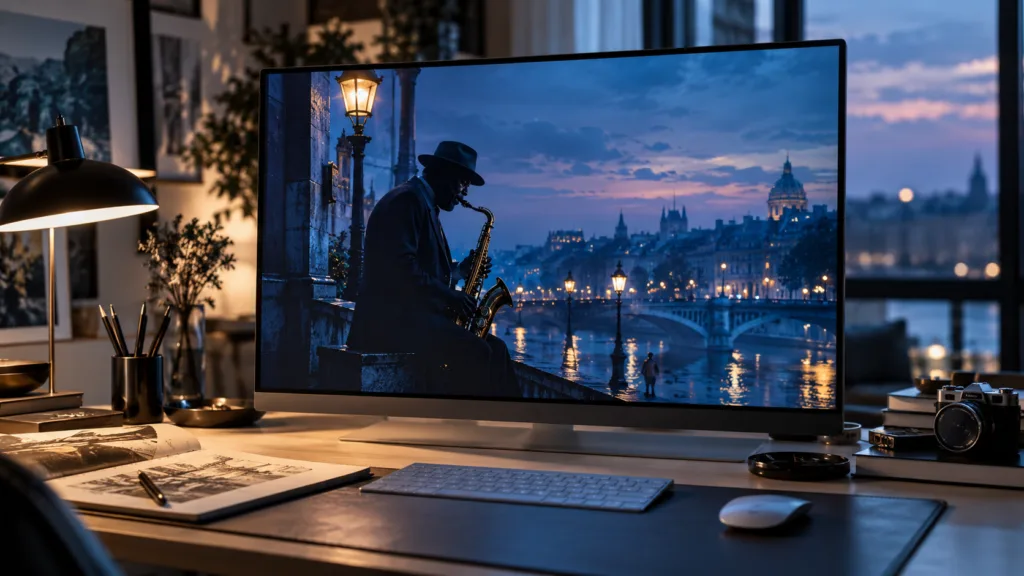
A designer gets a brief for a jazz night poster. The image needs a saxophonist under blue streetlight and the words “Blue Hour Sessions” set large across the top. She writes one prompt and runs it on every model in the Studio. The results differ in ways that matter: how the letters are formed, how much of the long prompt each model kept, how fine the detail is at full size, and what each run cost.
There is no best model. There is a best model for a given job and stage, and the choice gets easier once you know what each one was built to do.
The models in AI Studio
AI Studio runs two families. Google’s Nano Banana models are the image side of Gemini; the name started as a nickname for Gemini 2.5 Flash Image in 2025 and stuck. Google released Nano Banana Pro in November 2025 and Nano Banana 2 (Gemini 3.1 Flash Image) in February 2026, aiming for near-Pro quality at Flash speed. OpenAI’s GPT Image models come from the OpenAI image API, where gpt-image-2 is listed as the latest.
| Model | Maker | Built for | Sizes | Credits per image | Reference images |
|---|---|---|---|---|---|
| Nano Banana 2 Lite | Quickest drafts at the lowest cost | 1K | 1 | Up to 3 | |
| Nano Banana 2.1 | Fast, sharp edits, consistent characters, clean text | 1K, 2K, 4K | 2, 3, 5 | Up to 6 | |
| Nano Banana Pro | Most detailed images; text and complex scenes | 1K, 2K, 4K | 4, 5, 8 | Up to 14 | |
| GPT Image 2 | OpenAI | Following long prompts closely; layout and lettering | 1K, 2K | 3, 5 | Up to 4 |
Aspect ratios differ too. The Nano Banana models accept ten, from 21:9 to 9:16, including 4:5 and 5:4. GPT Image accepts seven, without 21:9, 5:4 or 4:5.
Choose by the job, not the name
Exploring an idea. Use Nano Banana 2 Lite at 1K with four images per run. It costs one credit an image, so thirty drafts cost thirty credits. At this stage you are judging ideas, not detail.
Most finished images. Nano Banana 2.1 is the default for good reason: it is quick, handles edits well, and keeps a character looking like the same person across several images. That matters for a series or a storyboard entry.
Words inside the image. Posters, book covers and signage need letters that are spelled right and placed where you asked. Nano Banana Pro and GPT Image 2 are the two to try. Put the exact words in quotation marks and say where they go: “the words ‘Blue Hour Sessions’ in tall condensed letters across the top third”.
Long, specific prompts. If your prompt runs to several sentences describing where each element sits, GPT Image 2 tends to keep more of it. Nano Banana Pro is the alternative when you also need 4K.
Many references. Nano Banana Pro takes up to fourteen reference images, useful when you want a character, a product and a setting held steady at once.
Large prints and panoramas. Only the Nano Banana models go to 4K (4,096 px on the long side) and to 21:9. If a competition asks for a large print file, decide this before you start drafting.
The cost of finishing on the right model
A common mistake is to do everything on the most expensive model. Take a weekend entry with 30 drafts and 4 final renders.
| Approach | Drafts | Finals | Total credits |
|---|---|---|---|
| Draft on Lite at 1K, finish on Pro at 4K | 30 × 1 = 30 | 4 × 8 = 32 | 62 |
| Everything on Pro at 4K | 30 × 8 = 240 | 4 × 8 = 32 | 272 |
The first approach costs less than a quarter as much, and the final images are identical in quality. The Generate button shows the cost of each run before you press it. From Brief to Entry in One Weekend shows where this fits in a full entry.
Switching models changes more than quality
Moving a prompt from one model to another is a new run under new conditions. The light, the color and the framing will shift, not only the detail. Re-run the final prompt on the new model, compare, and adjust one part at a time. Same Prompt, Different Image explains why, and what to match first.
One more difference is invisible. Google marks images from its Nano Banana models with SynthID, a watermark hidden in the pixels, alongside C2PA Content Credentials, and OpenAI attaches Content Credentials to its images too. If a competition asks whether AI was used, assume the answer can be checked, and say so in your statement.
For what AI Studio is and how it connects to the rest of the site, see What Is AIContestList AI Studio? and AIContestList, Explained.
Questions people ask
Is Nano Banana or GPT Image better?
Neither is better across the board. In AI Studio, the Nano Banana models offer 4K and more aspect ratios and are quick for edits and consistent characters; GPT Image 2 follows long, detailed prompts closely and handles layout and lettering well. Choose by the job.
Which model is cheapest in AI Studio?
Nano Banana 2 Lite, at one credit per 1K image in the default configuration. It is meant for drafts; render the final on a more detailed model.
Which model makes the largest images?
The Nano Banana models, up to 4K (4,096 px on the long side). GPT Image 2 goes up to 2K in AI Studio.
Can I switch models halfway through a project?
Yes, but expect the image to change. Re-run your final prompt on the new model, compare the results, and adjust one part of the prompt at a time.
Sources
- Ars Technica, Google releases Nano Banana 2 AI image generator, February 26, 2026
- Google AI for Developers, Gemini 3.1 Flash Image model page
- OpenAI API documentation, Image generation
- C2PA Viewer, OpenAI and Google align on C2PA and SynthID